Product Launch
All teams work from a common visual plan so everyone clearly sees their tasks and how they impact the launch date.
Sign Up for a Free Trial
All teams work from a common visual plan so everyone clearly sees their tasks and how they impact the launch date.
Sign Up for a Free Trial
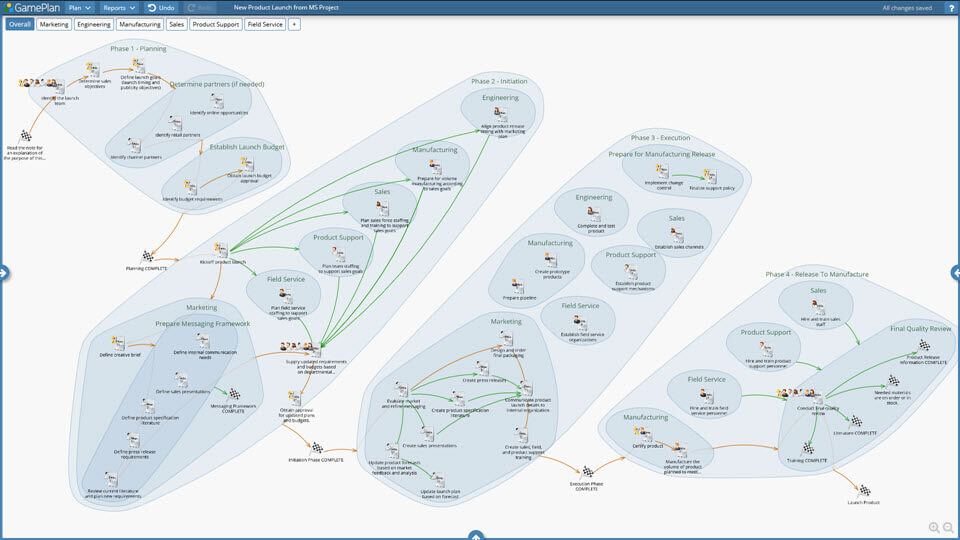
Many departments are involved in a product launch, so you need one plan that each department contributes to and works from.
With GamePlan, everyone understands the project plan because it's visual. Teams stay focused on completing their tasks because they know their impact on the launch.
Planning makes you consider all aspects of a project, which results in far fewer surprises later.
Planning shows the project's critical path (with red arrows). These are the tasks that will impact the launch date if they run late.
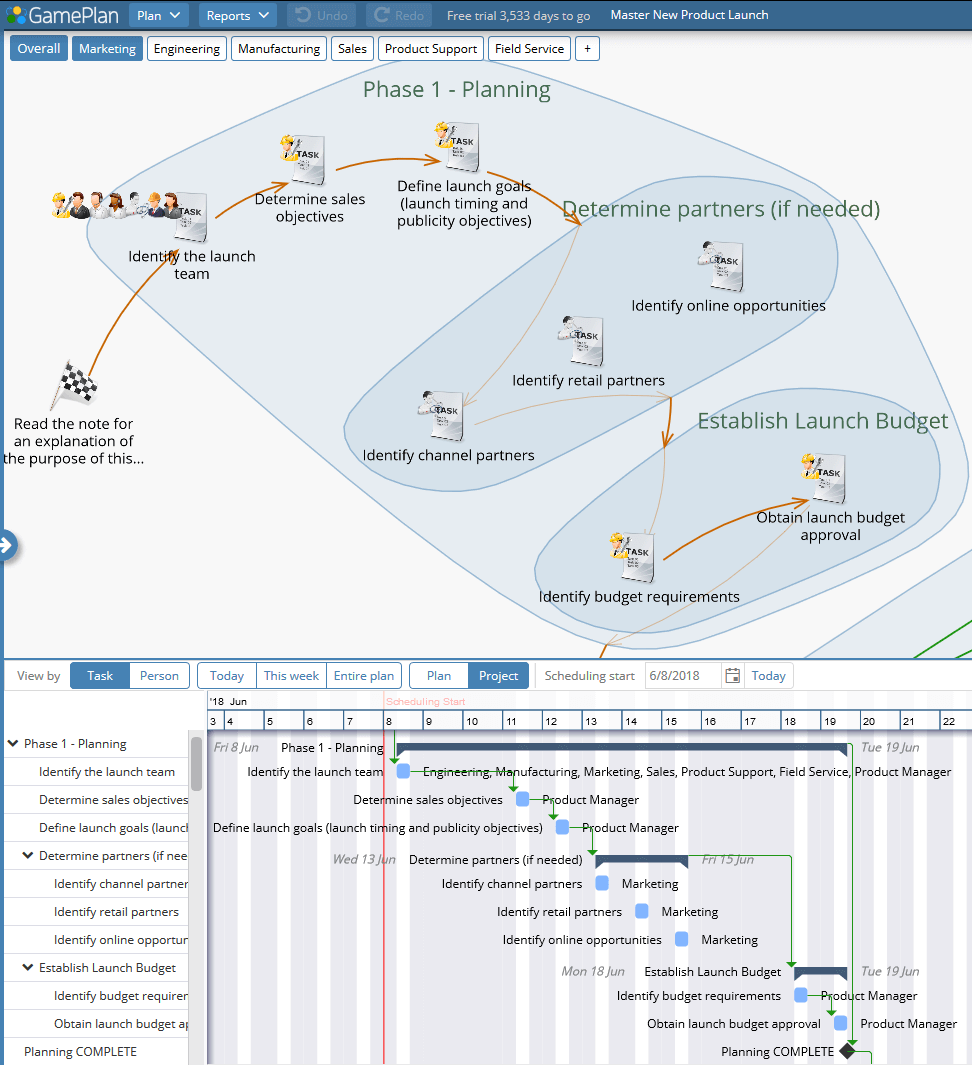
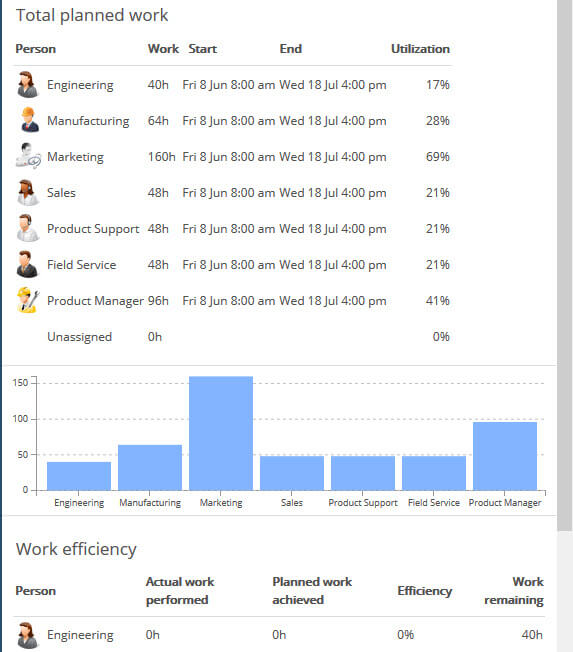
As you visually plan, GamePlan creates a resource-leveled project schedule. The schedule is achievable because each person's availability is considered and no one is double-booked.
The project schedule is shown in the Gantt chart immediately below the Whiteboard.
The schedule shows you the earliest possible product launch date given the work required and each person's availability.
The schedule shows everyone exactly when they need to start and finish their tasks in order to keep the product launch on time.
After the project starts, tracking keeps everything up to date. Tracking is done by marking tasks as Completed on Schedule or entering timesheets.
Tracking keeps the schedule valid, so everyone can rely on it. When there's a delay or when a task takes longer than expected, the downstream schedule updates.
Tracking the project shows the project status. How far through the project are you? When will you be ready to launch? This information is always known.
Tracking also gives you a permanent record of plan versus actuals. Analysing this data in a project post-mortem is a valuable learning experience that improves future planning.